New release
Cortona3D RapidAuthor 2512: enhanced operations with context geometry and callout objects, new customization features, and more
25 February 2026
Cortona3D is pleased to introduce the latest version of its technical documentation software suite, RapidAuthor 2512, which is targeted at the creation of high-quality 3D animated and traditional 2D technical documentation for manufacturing and after-sales support.
The key changes in RapidAuthor 2512 are related to operations on context geometry, callouts, and data import and export operations. The new release also contains further improvements in S1000D and DITA authoring, new publication features, and enhanced integration with Teamcenter Active Workspace. As always, a lot of changes are based on the customer requests, so the developer team invites all RapidAuthor users to share their suggestions for improvements.
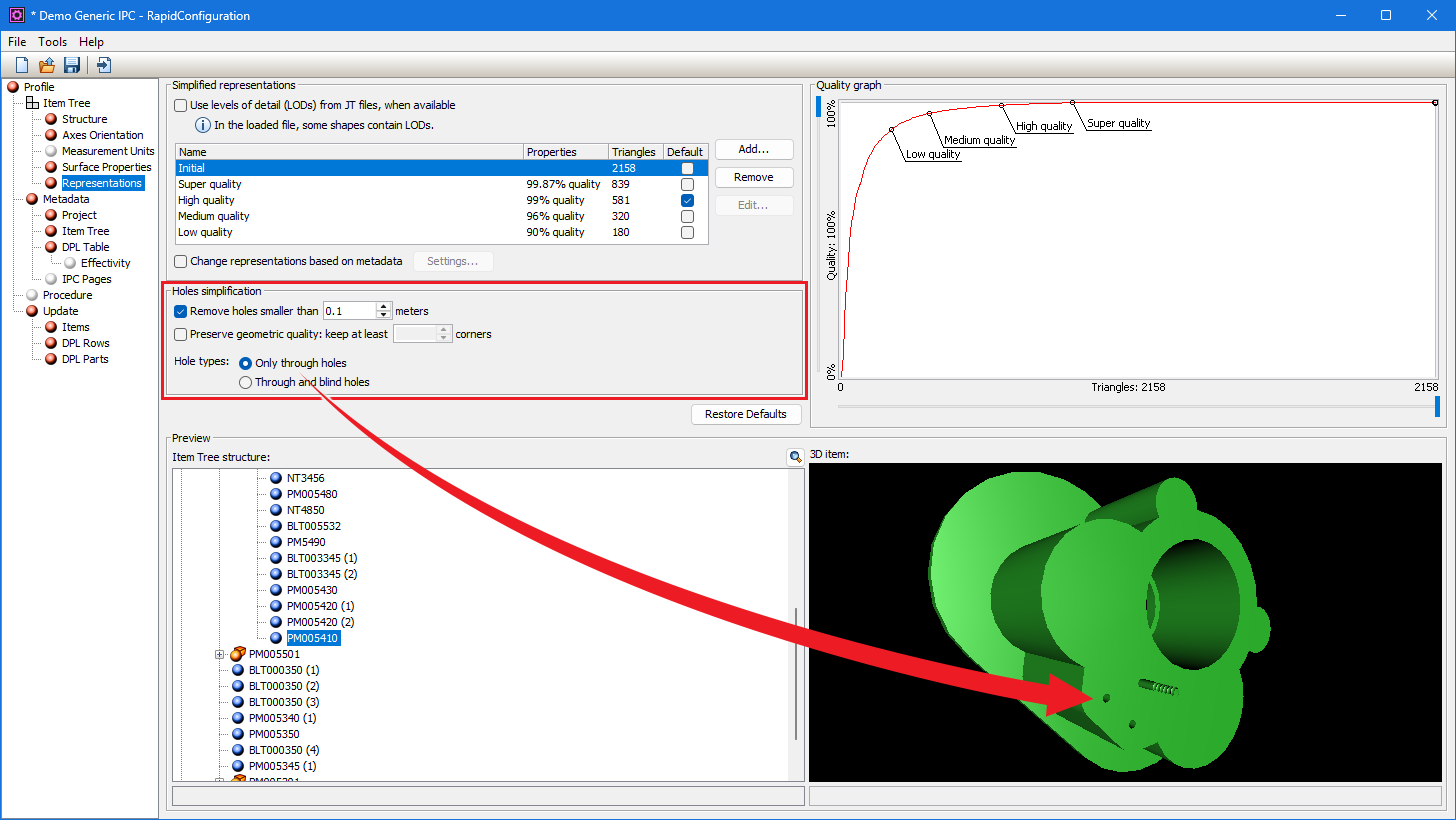
Data preparation: configurable removal of small parts and holes on import
With RapidAuthor 2512, authors can easily exclude small parts and holes from import, if they are not required for the technical publications. The size of the imported models will be reduced, resulting in improved performance.
Another improvement is related to the import of procedures from Easy Plan and Service Planner. Empty steps containing neither geometry nor sub-steps can now be imported or skipped depending of the import settings. Previously all empty steps were ignored.
DITA Authoring: Further customization of PDF publications via PDF rules
As in the previous releases, we continue to work on expanding the options for customizing the appearance and content of PDF publications.
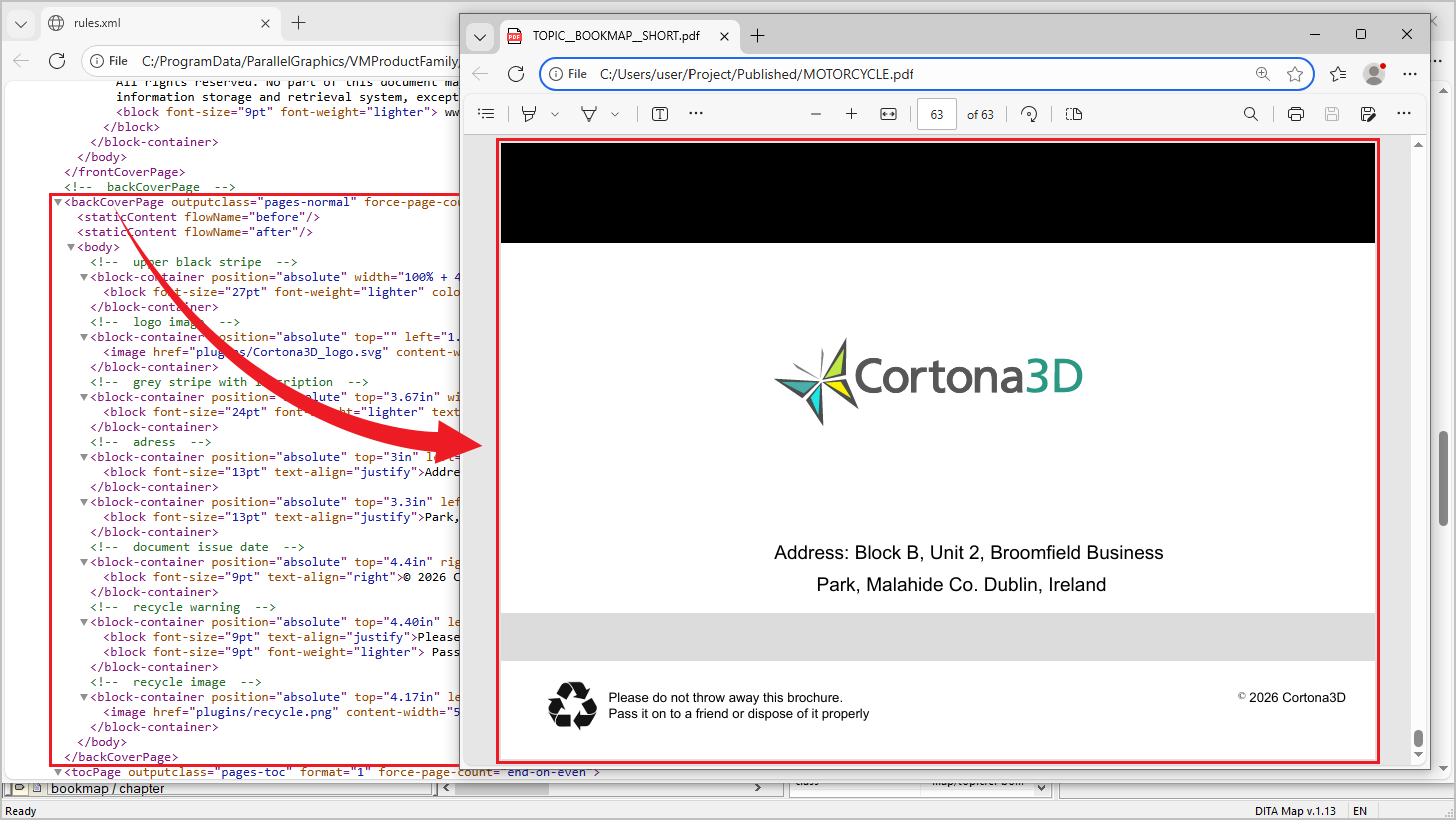
New customization features in PDF rules include total page count display, configurable back cover page, column style and visibility control for Generic IPC catalogs.
PDF rules are now supported in custom plugins, not only in OOTB specification components as before.
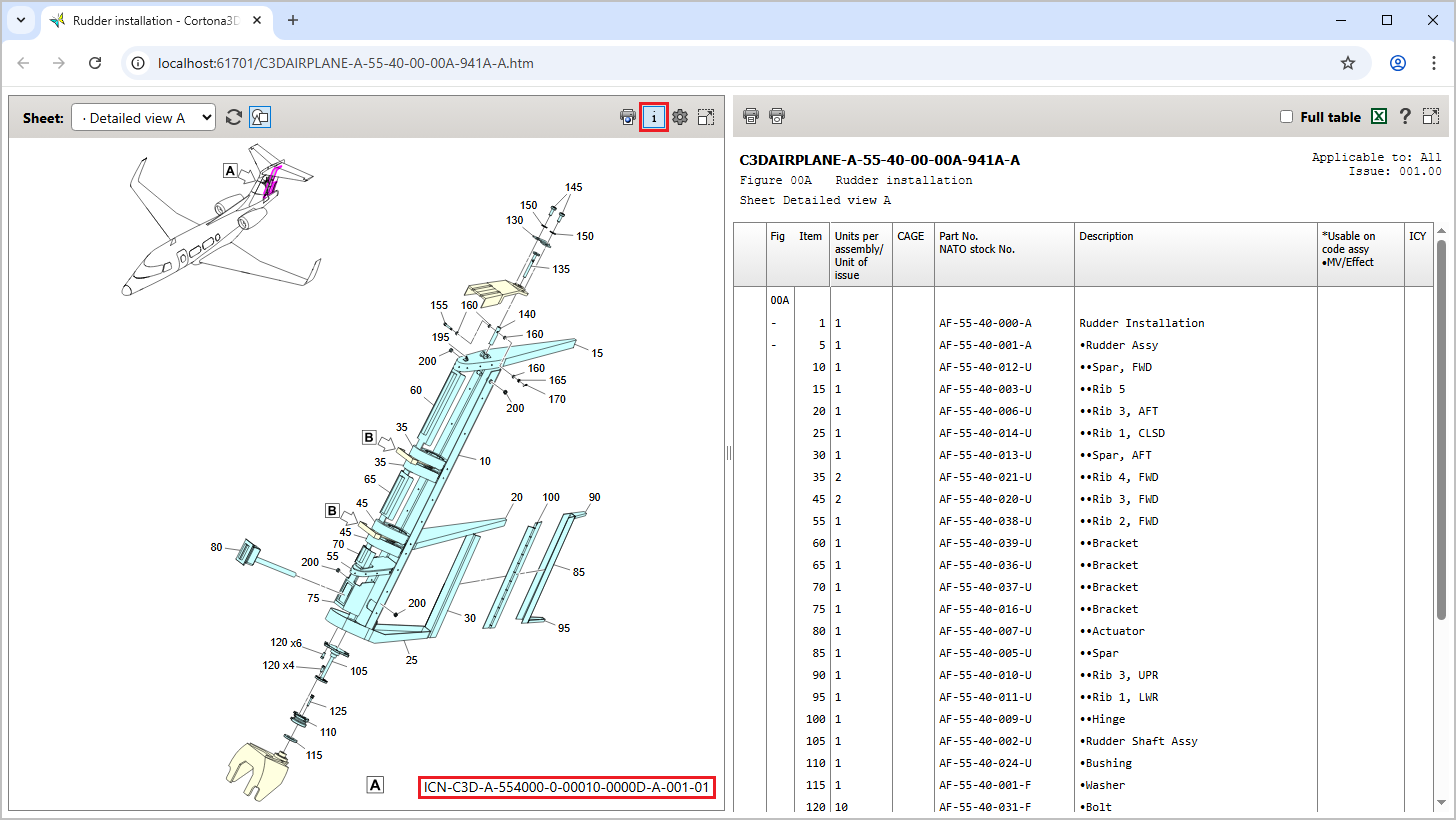
S1000D authoring: References to external publications and display of illustration ICN in HTML publication
With RapidAuthor 2512, references to external publications can be created for S1000D 6 data modules in the Document Editor and displayed in the HTML and PDF publications.
General authoring: A new approach to creating context geometry, enhanced Generic IPC specification, and more
The process of creating and editing context geometry has been revised. Context geometry can now be defined in all RapidAuthor applications. Transparency can be set per object or overridden in the application options. The appearance of context geometry can be controlled in the publication options. In addition to the previously available X-Ray and Translucent Shell rendering modes, a new Hidden option has been added that allows users to completely hide context geometry.
Context geometry added from Teamcenter using the “Add Context Geometry” command now receives the context geometry flag and can be updated automatically.
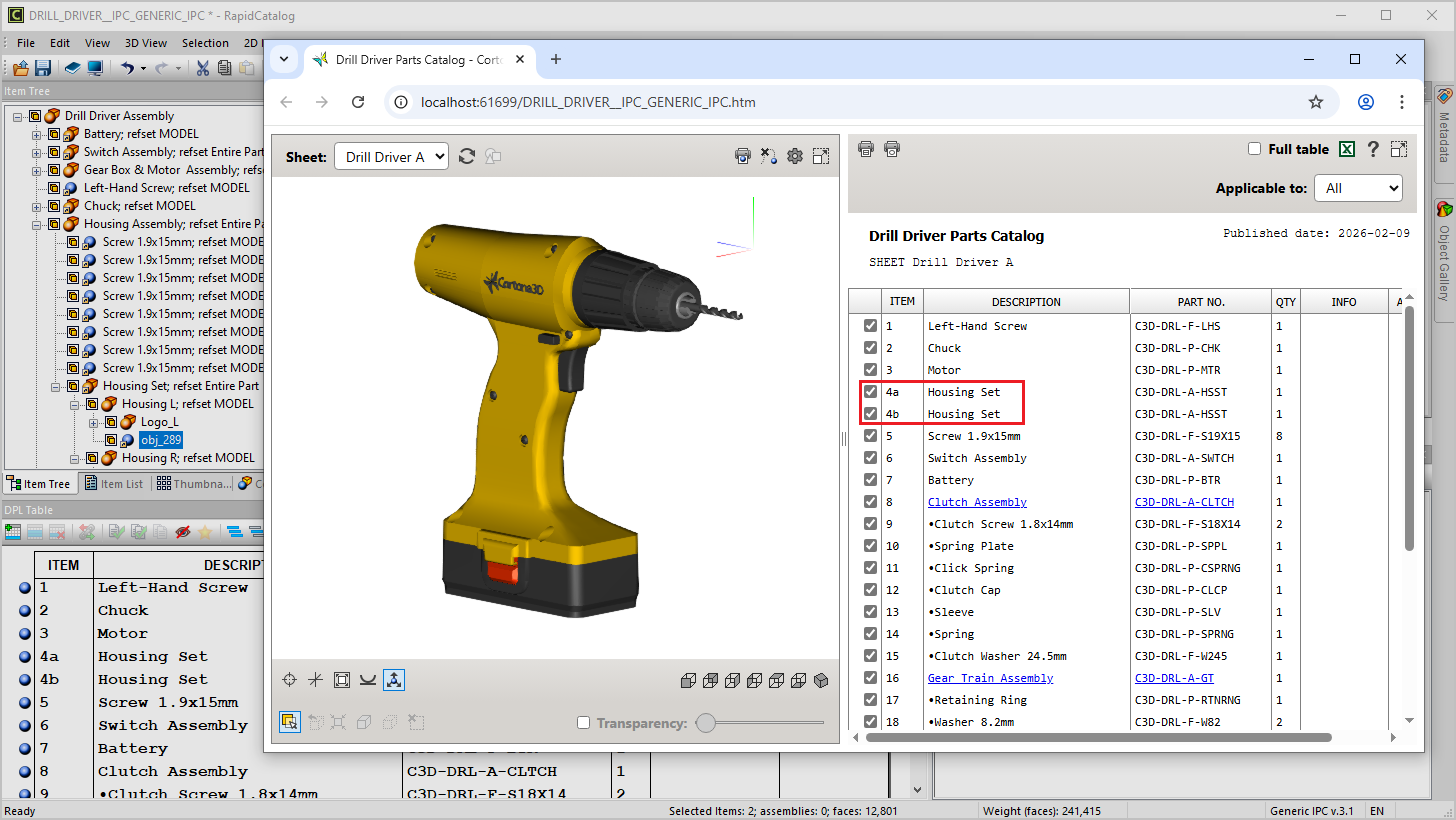
Two new features have been introduced in the Generic IPC specification: applicability support for IPC pages and Item Variant support for DPL rows.
Other changes in general authoring:
- Geometry can now be trimmed or cut by a cylinder, not just by a box.
- Assemblies can now be excluded from selection when using the Selection > Find Items command.
- Support for 3D PDF output has been discontinued starting with this release. It is recommended to use 3D HTML output instead.
Publishing: Configurable tooltips and a new Isolate selection mode
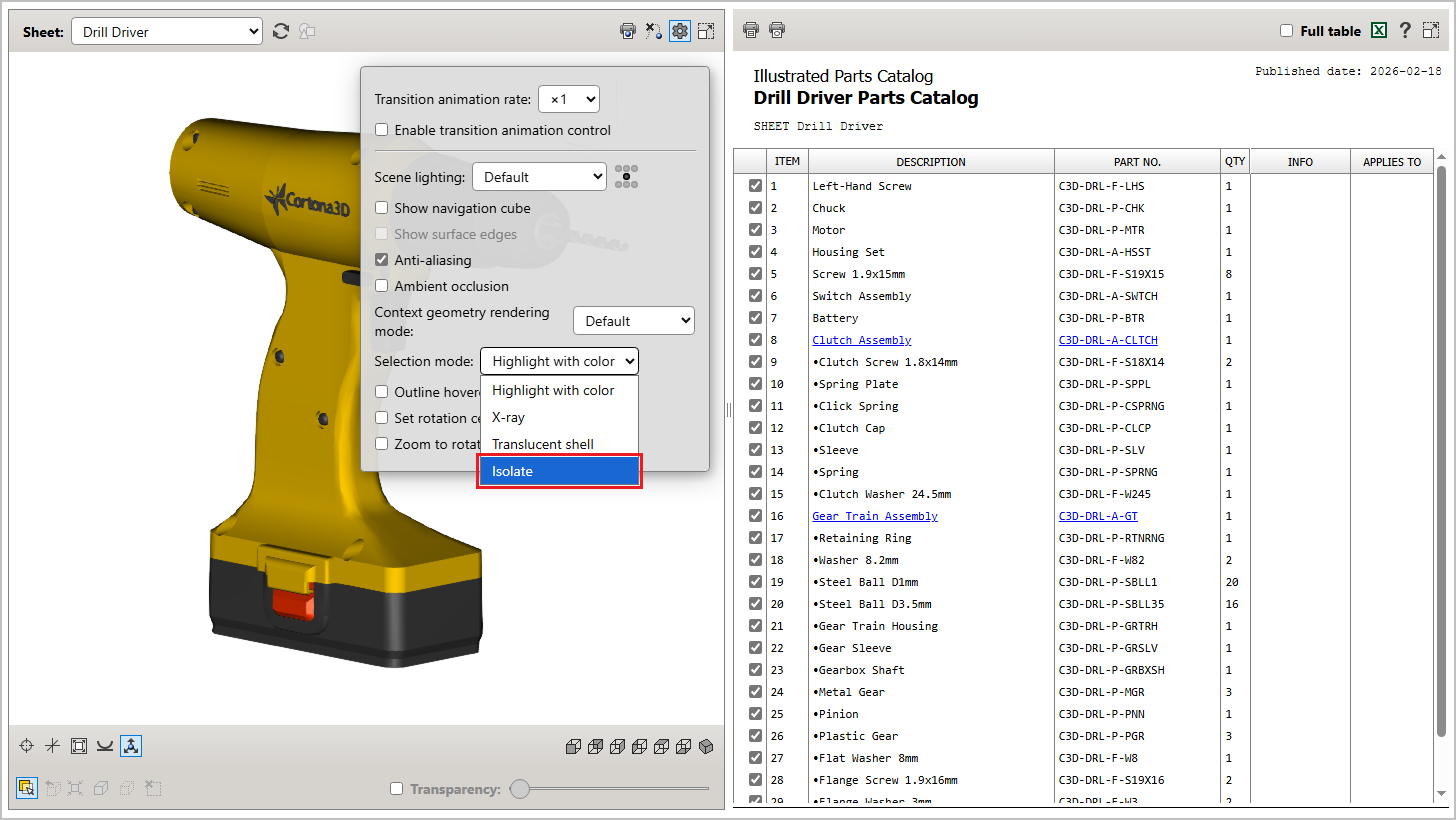
The new Isolate selection mode in HTML publications makes only the selected objects visible and hides all others, allowing users to focus on the desired objects.
Another feature that improves the user experience is customizable tooltips in all RapidManual publications. Publication authors can select metadata and specify the corresponding text to be displayed in tooltips.
2D Authoring: Enhanced callout object capabilities and group editing
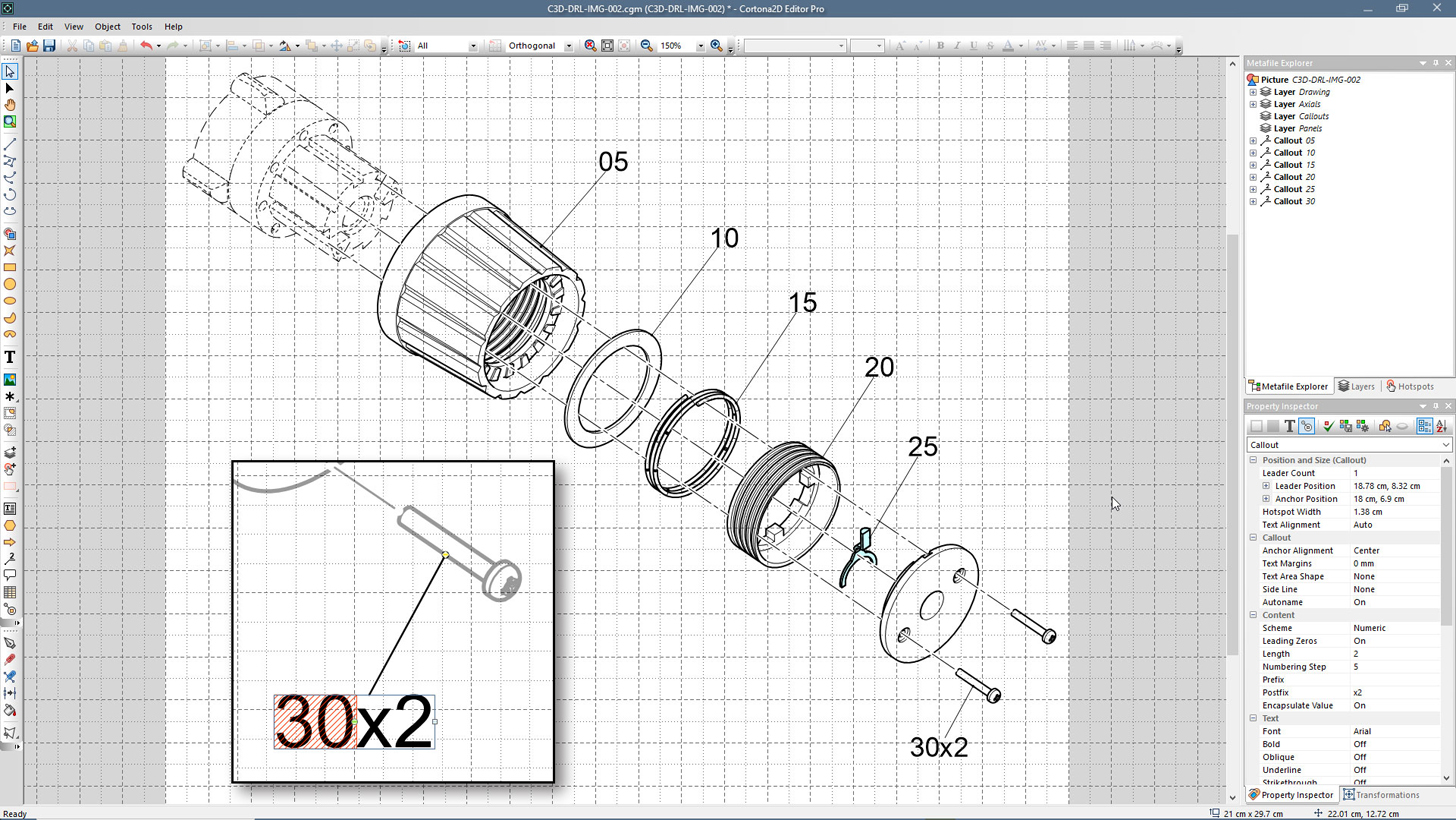
New callout object capabilities: Support for numeric and alphabetic schemes, prefixes and postfixes, auto renumbering, and shape size locking.
New group operations: Stroke, Fill, and Text styles can now be applied at the group level, affecting all applicable objects within the group.
New features in the Lasso tool: Points can now be selected using the Lasso tool.
Integration with Teamcenter: Bulk multimedia import and enhanced integration with Active Workspace
The key improvements in the integration of RapidAuthor with Teamcenter are as follows:
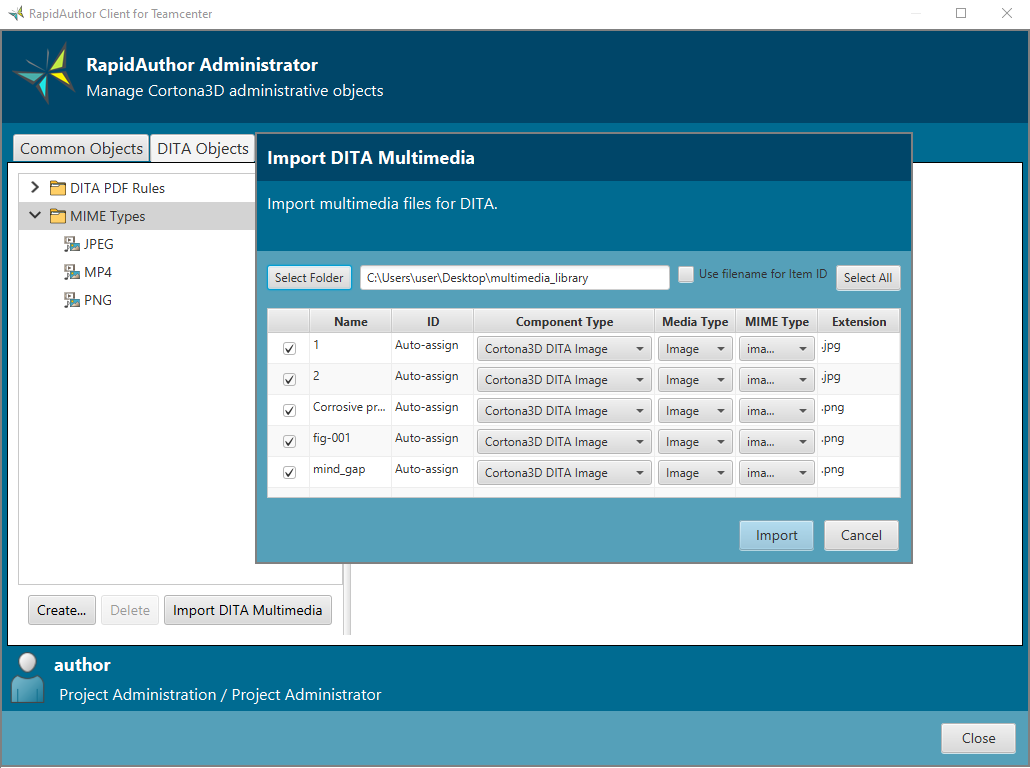
- Bulk multimedia import in RapidAuthor Administrator for DITA authoring in Active Workspace.
- Easy Plan: support for applying BOPs configured by revision and variant rules.
- Support for applying BOMs configured by revision and variant rules in Active Workspace.
- MIME type configuration in RapidAuthor Administrator for DITA authoring.
- Comprehensive export of S1000D publication modules from Active Workspace.
- Reuse of DITA topics and graphics from Teamcenter Content Management without additional configuration.
For more detailed information, you can explore the full release notes and download the new version of RapidAuthor 2512.
Cortona3D invites you to attend a special webinar where the team will dive deeper into the new features and capabilities of RapidAuthor 2512. The team will demonstrate how these enhancements can benefit your organization and answer any questions you may have. Don't miss this opportunity to explore the latest advancements in technical documentation software. The exact date and time of the webinar will be announced soon. Stay tuned!
For more information about the product
Full list of new features →
Request evaluation version of 2512 →